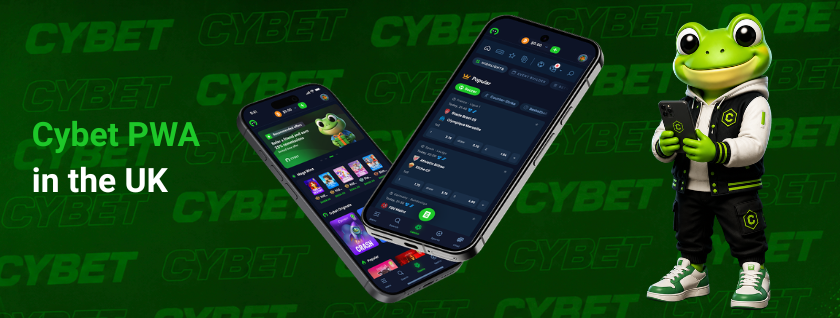
Progressive Web App technology powers the Cybet PWA, delivering full access to the platform — sports betting, casino games, and account management — directly through a mobile browser, without requiring a download from the App Store or Google Play. Launched alongside the brand in July 2025, the app is designed for Cybet UK players who want a responsive, native-like experience on any modern smartphone or tablet.
Cybet PWA Benefits
Traditional app distribution friction is eliminated by the Cybet mobile PWA. Because it runs in the browser and is pinned to the home screen, it updates automatically — no manual installs, no version conflicts. Below are the core advantages:
- Instant access — no download required; the PWA loads directly from the browser and is available within seconds
- Home screen shortcut — once installed, it behaves like a native app with a dedicated icon, full-screen mode, and no browser UI
- Cross-device compatibility — works on Android smartphones, iPhones, and tablets running any major browser
- Always up to date — updates are pushed server-side, so the version on your device is always current
- Lower storage use — the PWA occupies minimal space compared to a native application
- No region restrictions from app stores — UK users access the full platform without geo-filtering imposed by third-party marketplaces
- Demo mode available — players can test over 6,000 games without registration or deposit
Device and Browser Requirements
Before installing the Cybet PWA, verify that your device meets the minimum technical requirements. The table below outlines supported configurations:
| Parameter | Android | iOS (iPhone / iPad) |
| OS version | Android 8.0 or later | iOS 14.0 or later |
| Recommended browser | Google Chrome | Safari |
| Also supported | Firefox, Edge, Samsung Internet | Chrome for iOS |
| RAM (recommended) | 2 GB+ | 2 GB+ |
| Internet connection | 4G / Wi-Fi | 4G / Wi-Fi |
| Storage needed | ~5 MB | ~5 MB |
Full installation support via the home screen prompt is available on Chrome for Android and Safari for iOS. Other browsers may support access but not the “Add to Home Screen” prompt natively.
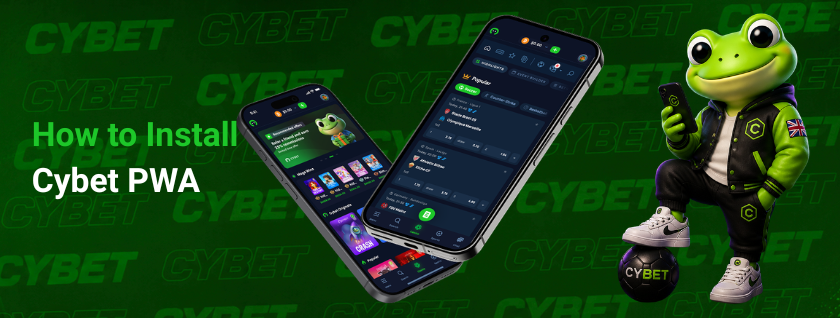
How to Install Cybet PWA
Installation steps differ depending on the operating system. Android requires Google Chrome to trigger the home screen prompt, while iOS relies exclusively on Safari — other browsers on iPhone do not support the “Add to Home Screen” functionality for PWAs. Both processes take under a minute and require no App Store account.
Android (Google Chrome)
- Open Google Chrome and navigate to the official Cybet website
- Wait for the “Add to Home Screen” banner to appear at the bottom of the screen, or tap the three-dot menu in the top-right corner
- Select “Add to Home Screen” from the menu
- Confirm the name and tap “Add”
- The Cybet icon appears on your home screen — tap it to launch the PWA in full-screen mode
iPhone / iOS (Safari)
- Open Safari and go to the official Cybet website
- Tap the Share icon at the bottom of the screen (the square with an upward arrow)
- Scroll through the share sheet and select “Add to Home Screen”
- Edit the label if needed, then tap “Add” in the top-right corner
- The app icon is placed on your home screen and opens in standalone mode without the Safari browser bar
Mobile Access to Games and Betting
Full platform coverage is available through the Cybet PWA on mobile. Across Cybet mobile devices — whether Android smartphones, iPhones, or tablets — the interface scales responsively, maintaining consistent navigation and load performance on 4G and Wi-Fi connections. Players looking for a full Cybet casino online experience will find the same game library and betting markets available on desktop.
- Sports betting — the sportsbook covers major global sports and leagues, with live betting markets available in real time
- Casino games — over 6,000 titles are accessible on mobile, including slots from providers such as Evolution Gaming, Pragmatic Play, NetEnt, Nolimit City, and Hacksaw Gaming
- Live casino and game shows — streamed in real time with touch-optimised controls
- Cybet Originals — proprietary titles including Dice, Plinko, and Mines, built for mobile-first play
- Demo mode — all supported games can be tested without a deposit, directly in the PWA
- Account management — registration, deposits, withdrawals, bonus activation, and VIP level tracking are all accessible from the mobile interface
Thirteen languages are supported, including English, making the interface fully localised for the UK market.
Payments and Security in Cybet PWA
Cryptocurrency is the only accepted payment method on the platform, covering both deposits and withdrawals. All transactions initiated through the mobile PWA are processed identically to the desktop platform.
| Parameter | Details |
| Supported cryptocurrencies | BTC, ETH, USDT, USDC, LTC, DOGE, SOL, TRX, BNB, XRP, XLM (11 total) |
| Minimum deposit | $1.00 |
| Minimum withdrawal | $10.00 |
| Maximum payout per transaction | $100,000.00 |
| Withdrawal fee | $1.00–$3.00 |
| Withdrawal processing time | Minutes to 1 hour (subject to blockchain confirmation speed) |
| Connection security | TLS / HTTPS encrypted |
| Account protection | Email verification + optional 2FA (e.g. Google Authenticator) |
| KYC requirement | No mandatory KYC for standard play; verification may be requested for compliance or fraud-prevention purposes |
Withdrawals require confirmation via email or 2FA before processing. Unusual activity — such as a login from a new device or location — may trigger additional verification. Large withdrawals may be subject to manual review under Cybet’s internal risk controls. All on-chain transactions provide transparent, immutable records accessible to both the platform and the user.
Support and Troubleshooting
When issues arise with the Cybet PWA on mobile, the following steps cover the most common scenarios:
- PWA not loading — clear browser cache, check internet connection, and ensure the browser is updated to the latest version
- “Add to Home Screen” option missing on iPhone — confirm you are using Safari; the feature is not available in Chrome or Firefox on iOS
- Login issues — reset password via the email address used at registration; enable 2FA for added security
- Blocked or compromised account — contact support immediately via Live Chat or at [email protected] and provide the most recent deposit transaction hash as proof of account ownership
- Bonus not credited — ensure the deposit bonus was activated on the deposit page before completing the transaction; bonuses cannot be applied retroactively
- Withdrawal delayed — delays beyond one hour are typically caused by blockchain network congestion; check the transaction hash on-chain to confirm its status
Support is available 24/7 through Live Chat (fastest response) and email at [email protected]. The platform is licensed under the Anjouan Offshore Finance Authority (licence number ALSI-202409034-FI2).